
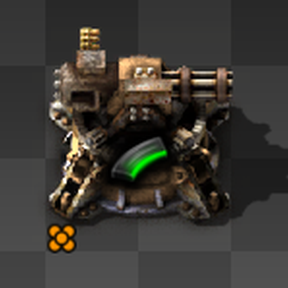
Quality Turrets Reworked
Turn your defense into a legendary fortress!
Quality Turrets Reworked allows your turrets to level up and gain Quality tiers simply by doing what they do best: eradicating enemies. As your turrets rack up kills, they will automatically upgrade to the next Quality tier, becoming more effective and durable.
Features
- Dynamic Leveling: Turrets upgrade quality tiers automatically upon reaching a configurable kill count.
- Smart Upgrades:
- Keeps Ammo: Your turret won't lose its precious magazine when upgrading.
- stat Preservation: Excess kills carry over to the next level so no kill is wasted.
- Fluid Preservation: Flamethrower turrets keep their fuel during the upgrade.
- Circuit Safe: Uses
fast-replacelogic to attempt to preserve circuit network connections.
- Visual & Audio Feedback: Satisfaction guaranteed with a "Quality Up!" flying text and sound effect on every upgrade.
- Progress GUI: detailed progress bar appears when you open a turret, showing exactly how many kills are needed for the next tier.
- Broad Support: Works with:
- Ammo Turrets (Gun Turrets)
- Electric Turrets (Laser Turrets)
- Fluid Turrets (Flamethrowers)
- Artillery Turrets
- Preserve Kill Counter: (Optional, v0.8.0+) Turrets can keep their kill count when mined and placed again.
- Configurable: You decide how many kills are required for an upgrade via Mod Settings.
- Localized: Available in 10 languages!
Supported Languages
- English (en)
- German (de)
- Spanish (es-ES)
- French (fr)
- Italian (it)
- Japanese (ja)
- Korean (ko)
- Portuguese (Brazil) (pt-BR)
- Russian (ru)
- Chinese (Simplified) (zh-CN)
Usage
Simply place your turrets and let them defend your base. When a turret achieves the required number of kills (Default: 1), it will instantly transform into the next quality tier of the same turret type.
You can adjust the "Kills to next quality" setting in the Startup Mod Settings. * Limit quality to unlocked (Startup): If enabled, turrets will not upgrade past the highest quality level currently unlocked by your force. * Show level up text (Map): Toggle the "Quality Up!" flying text. * Play level up sound (Map): Toggle the level-up sound effect.
Credits
- Original Author: Naarkerotics
- Reworked & Maintained by: Xearox (since v0.5.0)